
Aloha all! Another day in the books and here to document my journey! Winding down towards the end of the day I contemplate about all the work done and one thing that’s really intrigued me is how we use light in games we develop. I thought I’d run through a few to give you an idea on how we get that aesthetics we reach for.
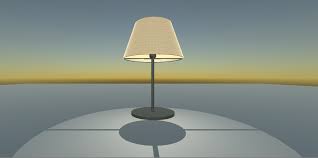
- Point Light – Located at a specific point in space which equally shares light in all directions. The intensity diminishes with distance going away from said point. “Light Intensity is inversely proportional to the square of the distance from the source.” Also known as “inverse square law” which is a close representation of how light acts in reality. As you can see above point lights are a good way to simulate lamps or other local sources of light. It’s also used to visually heighten a spark or explosion.
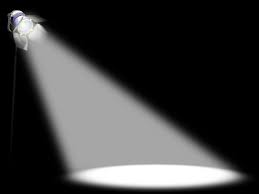
2. Spot light- like the point light, the spot light has a specified location and range which the light falls off. A spot light is restricted to a angle which results in a cone-shaped region of light. With adding a script or animation to your spotlight you can direct the light to illuminate a small area of your scene to create a dramatic effect. With that said spot light is generally used for your artificial light you’d use in your scene.

3. Directional light — Directional light is used to represent large and distant light sources that are positioned outside the range of the “game world.” Realistic settings you can expect it to be used to simulate the Sun or Moon. More abstract games its a great way to add shading to objects without specifying where the light is coming from.
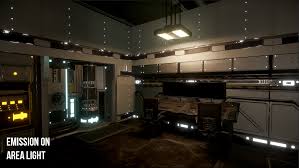
4. Area light — Area light is defined by a rectangle in space. Light is emitted across their surface but only from one side. There is no manual control for range, intensity will diminish at inverse square of the distance as it travels away from the source. The shading tends to be more soft and subtle than other light types. “A small area of light can simulate smaller sources of light (such as interior house lighting) but, with a more realistic effect. For instance in the Great Fleece, light probes are stretched along the length of the desk. To simulate the light needed when the player is near to give you that right feel. Ya dig??
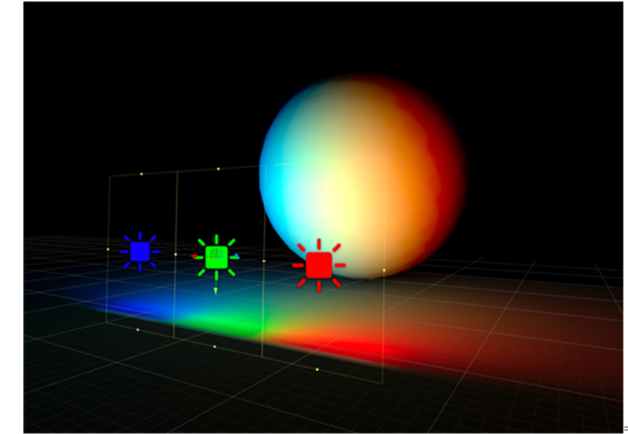
Anyways, that’s a little bit on lighting in Unity. I thought I’d fill you in. I’m trying to get used to this. I’ll get better the more I try and teach! Thanks for reading up! See ya soon! Much love and aloha
 Riley Makena Rudd
Very informative , so much to learn
LikeLike